
Development
Web Applications
A website tells people about the business. A web application is where the work actually happens: customers log in and book, staff manage jobs, the owner sees the numbers. We build them to run in any browser, on any device, with nothing to install.
What we do
What this covers
Customer portals
A login where customers see their bookings, invoices and progress without phoning you to ask.
Booking and job systems
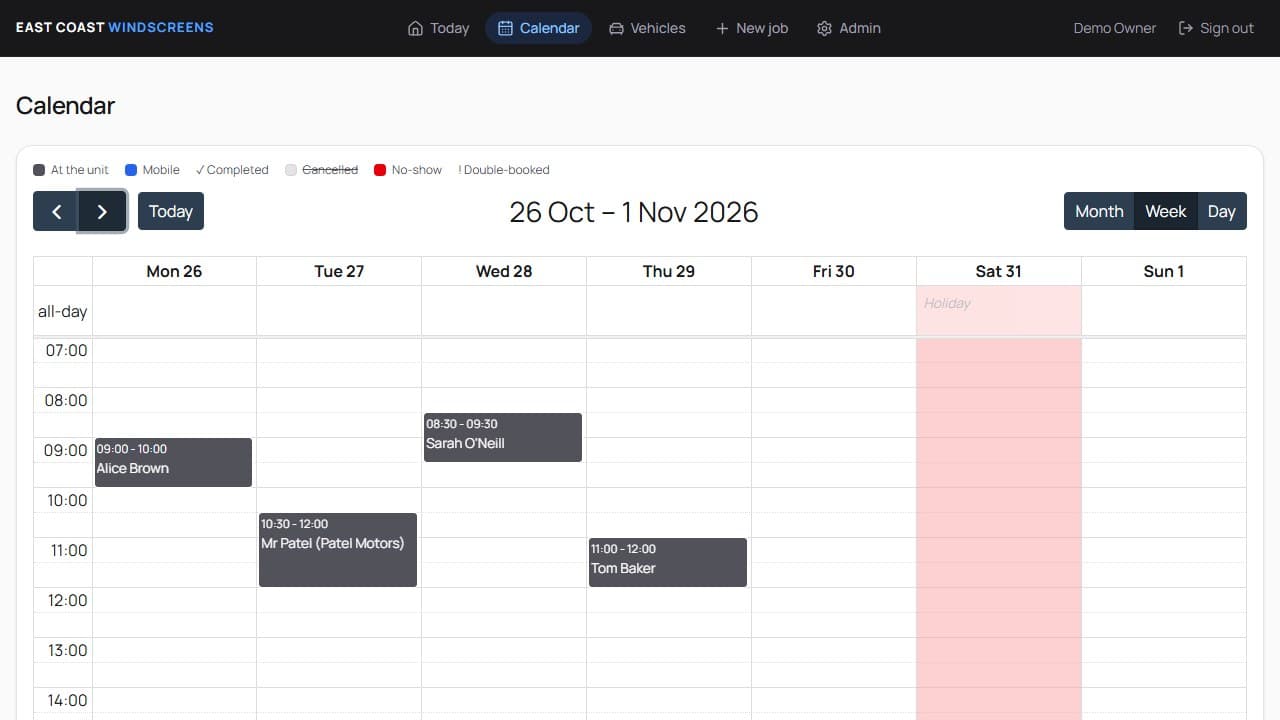
Bookings, calendars, reminders and job tracking built around how your team actually works.
Dashboards and internal tools
Admin screens and staff tools that replace spreadsheets and manual copying with one place to work.
Payments and integrations
Payments, email, calendars and the systems you already use, connected so data moves on its own.
Security built in
Logins, permissions and data kept properly separated, so each person sees only what they should.
Support after launch
Fixes, changes and new features as the business grows, from the person who built it.
Built for you
Systems we build
- Booking & scheduling systemsA diary that stops double bookings, reminds customers and keeps your Google Calendar in step.Find out more
- CRM & customer recordsEvery customer, their history and your notes in one place.Find out more
- Invoicing & client portalsInvoices, recurring billing, reminders and a login for your customers.Find out more
Every client gets access to the Buildory Client Portal: invoices, analytics and site progress in one place.
Learn morePricing
Pricing
Web Application
Contact for a Quote
Priced around what it actually needs to do. We scope it properly rather than guess a number. Hosting for the application and its backend is quoted with it, separately from website hosting.
- Fully custom-built, you own the code outright
- Logins, dashboards and real functionality, not just pages
- Works in any browser, on phone, tablet and desktop
- 1-to-1 support, direct from the founder
A real example
How it works
Our Workflow
- Step 1:
Introductions and Discovery
A proper conversation first: the business, the customers, and what this needs to do for them. No jargon, no obligation.
- Step 2:
Scope and Design
A clear written scope, the price and the timeline agreed up front, then the design, so you see it before anything is built.
- Step 3:
Development & Testing
Built properly and tested on phones, tablets and desktops, with your feedback along the way, not just at the end.
- Step 4:
Launching and On-boarding
It goes live, and you get a walk-through of how to use and update it. Support carries on after launch.
Got a process that lives in a spreadsheet?
If the business runs on spreadsheets, paper or three apps that don't talk to each other, get in touch. We'll work out what a proper system would look like.